
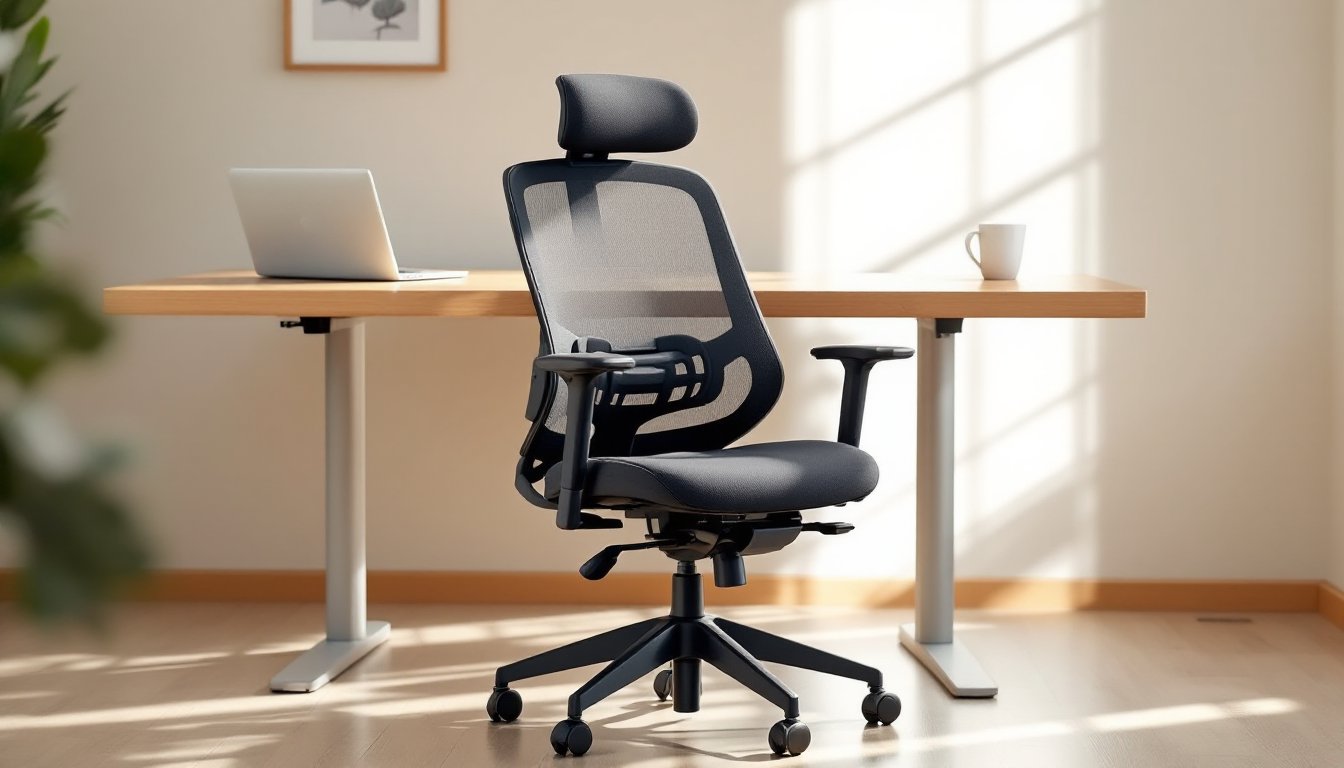

Spending eight hours a day in a lousy chair is a fast track to back pain and bad posture. But here’s the thing: a decent home office chair doesn’t require a $700 investment or executive-level features. Budget chairs in the $100–$250 range have come a long way, with better lumbar support, adjustable components, and durability that actually holds up through daily use. The trick is knowing what to look for, and what corners manufacturers cut to hit that price point. This guide walks through the must-have features, top picks for 2026, and practical ways to squeeze more comfort out of an affordable chair without turning your workspace into a chiropractor’s waiting room.
Table of Contents
ToggleKey Takeaways
- Budget home office chairs in the $100–$250 range provide adequate lumbar support and adjustable components without requiring a premium investment.
- Prioritize built-in lumbar support, seat depth of 17–20 inches, and Class 3 gas lift cylinders when comparing affordable chairs to ensure daily comfort and durability.
- Top budget picks like the HON Exposure Mesh Task Chair and Alera Elusion Series offer better build quality than bare-bones options and withstand daily use beyond six months.
- Maximize comfort on a budget by adjusting seat height for parallel thighs, adding a $15–$30 lumbar cushion, and replacing basic casters with polyurethane wheels for under $25.
- Avoid common mistakes such as ignoring weight capacity, prioritizing gaming aesthetics over ergonomic design, and failing to measure desk clearance before purchase.
- Even without a new chair, DIY upgrades like rolled towel lumbar support, seat cushion overlays, and caster replacements can significantly improve workspace ergonomics at minimal cost.
What Makes a Great Budget Home Office Chair?
A great budget office chair doesn’t try to be everything to everyone. It focuses on core ergonomic support and skips the premium upholstery or advanced tilt mechanisms that drive up cost.
Lumbar support is non-negotiable. Whether it’s a built-in curve in the backrest or an adjustable cushion, the chair should maintain the natural S-curve of the spine. Chairs without lumbar support will have users slumping forward by lunchtime.
Seat depth and width matter more than most people realize. A seat pan that’s too deep forces shorter users to choose between back support and feet flat on the floor. Look for at least 17–20 inches of width and adjustable depth if possible.
Weight capacity is a practical checkpoint. Most budget chairs are rated for 225–275 pounds. If the chair is near or at capacity, components like the gas lift cylinder and casters wear out faster.
Adjustability is where budget chairs make compromises. Seat height adjustment is standard (usually via pneumatic cylinder), but armrest and backrest adjustments are often fixed or limited. Prioritize height and tilt over fancy armrest pivots.
Top Features to Look for in Affordable Office Seating
When comparing budget chairs, focus on the components that affect daily comfort and longevity.
Seat Cushion Material
Mesh seats offer breathability, which helps during long sessions, but cheaper mesh can sag within a year. Molded foam (at least 2 inches thick with a density of 1.8–2.0 lbs/ft³) holds shape better and distributes weight more evenly. Avoid thin padding over plywood, it compresses quickly and offers zero give.
Gas Lift Cylinder
This is the post that adjusts seat height. Budget chairs often use Class 2 or Class 3 cylinders. Class 3 is sturdier and less prone to sinking over time. If a chair doesn’t specify, check user reviews for complaints about gradual height loss.
Base and Casters
A five-point base (star-shaped) is the standard for stability. Plastic bases are lighter but can crack under stress. Nylon bases hold up better. For casters, hard plastic wheels work on carpet, but they’ll scratch hardwood. Upgrading to rollerblade-style casters (polyurethane wheels) costs about $15–$25 and makes a noticeable difference on hard floors.
Armrests
Fixed armrests are common in budget models. If they’re too high or too low, they’ll either force shoulder tension or become useless. Height-adjustable arms are worth the extra $20–$40 if available. Some chairs allow armrest removal, which is helpful for small office setups where desk clearance is tight.
Our Top Budget Home Office Chair Recommendations
These picks balance ergonomic basics with price points under $250. Prices fluctuate, so check current listings.
AmazonBasics Mid-Back Office Chair ($80–$100)
This one’s bare-bones but functional. It has a padded mesh back with basic lumbar curve, seat height adjustment, and a 225-pound capacity. The armrests are fixed, and the padding is on the thin side, but it holds up for part-time use or lighter users. Not ideal for all-day sessions, but it’s a solid starter chair for someone assembling a work-from-home setup on a tight budget.
HON Exposure Mesh Task Chair ($150–$180)
A step up in build quality. The mesh back has better tension, the seat cushion is thicker (around 2.5 inches), and the synchro-tilt mechanism (back and seat tilt together) feels smoother. Armrests are height-adjustable. Weight capacity is 250 pounds. It’s one of the few budget chairs that doesn’t feel flimsy after six months of daily use.
Alera Elusion Series ($120–$150)
This one offers a contoured mesh back with decent lumbar support and a wider seat (19 inches). The tilt tension is adjustable, which helps heavier users avoid that springboard effect. The casters are basic but replaceable. According to Good Housekeeping, mesh-back chairs in this range often outperform padded alternatives in long-term comfort tests.
IKEA Järvfjället ($100–$130)
IKEA’s mesh office chair has a curved backrest and adjustable lumbar support. The seat depth isn’t adjustable, which can be an issue for shorter users, but the overall build is sturdy. Some users have experimented with seat height modifications to improve fit. Assembly is straightforward, about 20 minutes with the included hex key.
How to Maximize Comfort on a Limited Budget
Even a basic chair can be made more ergonomic with a few tweaks and adjustments.
Set seat height so thighs are parallel to the floor and feet rest flat. If the chair doesn’t go low enough, add a footrest (a scrap piece of 3/4-inch plywood cut to 16×12 inches works fine). If it doesn’t go high enough, some gas cylinders are replaceable with extended versions (adds 2–4 inches).
Use a lumbar cushion if the chair’s built-in support is weak. Look for one with straps that secure to the backrest, loose pillows migrate. Foam density should be firm (not memory foam, which compresses too much). Cost: $15–$30.
Adjust tilt tension if available. The backrest should recline with gentle pressure but not collapse. Most chairs have a knob under the seat, tighten it clockwise to increase resistance.
Monitor your workspace setup alongside the chair. Desk height and monitor position affect posture as much as the chair does. The top of the screen should be at or slightly below eye level, and elbows should rest at 90 degrees when typing. Adjusting one without the other leaves gaps in ergonomics.
Take breaks. No chair, budget or premium, is a substitute for movement. Stand and stretch every 45–60 minutes. Even a 30-second walk around the room helps.
Common Mistakes When Buying Budget Office Chairs
Ignoring weight capacity. Chairs stressed near their limit fail faster. Gas cylinders leak, bases crack, and casters flatten. If you’re close to the stated capacity, size up or look for a higher-rated model.
Prioritizing looks over function. Racing-style gaming chairs are popular but often poorly designed for desk work. The high bolsters and stiff padding are meant for short gaming sessions, not eight-hour stretches of typing. Stick with task chairs designed for office use.
Skipping assembly reviews. Some budget chairs arrive with unclear instructions or misaligned screw holes. Check reviews for mentions of assembly difficulty before buying. If multiple users complain about missing hardware or stripped threads, move on.
Buying without testing dimensions. Measure your desk clearance (height from floor to underside of desk) and compare it to the chair’s maximum seat height + armrest height. Chairs that don’t fit under the desk force awkward postures.
Expecting premium features. Budget chairs won’t have 4D armrests, advanced lumbar dials, or high-end mesh like Herman Miller’s. That’s fine. The goal is functional support, not executive-level adjustability.
Budget-Friendly Alternatives and DIY Ergonomic Upgrades
If a new chair isn’t in the budget right now, these modifications can improve an existing one.
DIY Lumbar Support
Roll a bath towel to about 4 inches in diameter and secure it with rubber bands or zip ties. Position it at the small of your back and attach it to the chair with Velcro straps or bungee cords. It’s not pretty, but it works. For a more finished look, sew a simple cushion cover from canvas or denim and stuff it with polyester fiberfill.
Seat Cushion Upgrade
Add a gel or memory foam seat cushion if the existing padding has flattened. Look for ones with a coccyx cutout (tailbone relief). Thickness should be 2–3 inches, too thick and the seat height becomes awkward. Make sure it has a non-slip bottom.
Replace Worn Casters
Swapping out hard plastic wheels for rollerblade casters improves mobility and floor protection. They’re a direct fit for most standard office chairs (measure the stem diameter, usually 7/16 inch or 11mm). Pop the old ones out by pulling straight up, press the new ones in. No tools required.
Armrest Padding
Wrap fixed armrests with pipe insulation foam (the kind used for plumbing) and secure with electrical tape or zip ties. It adds cushioning and can slightly raise armrest height. Costs under $5.
Footrest
If the chair doesn’t adjust low enough, build a simple footrest from a 2×10 board cut to 18 inches long. Sand the edges, add adhesive rubber feet to the bottom to prevent sliding, and optionally wrap the top with carpet remnants for traction. Total cost: under $10.
For more involved projects, The Handyman’s Daughter has tutorials on building simple furniture and workspace accessories that can complement an office setup. Pairing an affordable chair with thoughtful desk organization and layout can make a bigger difference than upgrading to a mid-tier chair.
Conclusion
A budget home office chair doesn’t have to be a pain, literally. By focusing on core ergonomic features, avoiding common pitfalls, and making small adjustments, it’s possible to build a comfortable workspace without a premium price tag. Prioritize lumbar support, seat quality, and realistic weight capacity over flashy features. And remember: even the best chair needs to be paired with proper desk height, monitor placement, and regular movement. Your back will thank you.